
Formatting JSON means adding the line breaks and indentation the machine didn't bother with, so that one 40,000-character line turns into something with a visible shape. Every editor and most terminals can do it in one command. The only real decisions are how much to indent, and whether to paste the data into a website to get it done.
The fast answer
- In a terminal:
jq . file.json, orpython3 -m json.tool file.json. - In VS Code: open the file and press Shift+Alt+F (Shift+Option+F on a Mac).
- In a browser: open the
.jsonURL in Firefox, which has a JSON viewer built in, and press Pretty Print. - On a phone: a JSON app with a Beautify command, rather than pasting the text into a website.
- It won't format at all: it isn't valid JSON yet. Fix that first; the formatter's error message tells you where.
What formatting does, and doesn't, change
Pretty-printing only adds or removes whitespace between tokens: spaces, tabs and line breaks outside strings. A correct formatter never touches the values. So these two are the same document:
{"id":7,"tags":["a","b"],"owner":{"name":"Ana"}}
{
  "id": 7,
  "tags": [
    "a",
    "b"
  ],
  "owner": {
    "name": "Ana"
  }
}
Minifying is the reverse: strip every optional space and newline. It's what you send over a network or paste into a config field that wants one line. Neither direction changes what the data means, which is why it is safe to reformat a file you didn't write.
Two operations sit next to formatting in most tools and are changes, even if harmless ones: sorting keys, which reorders every object alphabetically, and escaping, which turns the whole document into a single string. Do them on purpose, not as a side effect.
In a terminal
jq is the one to have installed:
jq . data.json                 # pretty, 2-space indent
jq --indent 4 . data.json      # 4 spaces
jq --tab . data.json           # tabs
jq -c . data.json              # minified, one line
jq -S . data.json              # keys sorted A–Z
To format a file in place, write to a temporary file and move it back. jq . data.json > data.json empties the file before jq reads it.
jq . data.json > tmp.json && mv tmp.json data.json
Python ships with a formatter, so it works on any machine that has Python 3:
python3 -m json.tool data.json
python3 -m json.tool --indent 4 --sort-keys data.json
python3 -m json.tool --compact data.json
One difference that matters on real data: json.tool reads numbers as
Python floats unless they're integers, so a value like 1.10 comes out as
1.1. jq 1.7 and later keep number literals as written. If the file holds
prices, version numbers or IDs with leading digits that matter, check the
output.
In an editor
VS Code: Shift+Alt+F formats the whole document, or Format
Selection from the command palette formats part of it. Set
"editor.formatOnSave": true for [json] files if you edit them often.
Indentation follows the editor's tab size setting.
Sublime Text, Notepad++, JetBrains IDEs all format JSON, either built in (JetBrains: Code → Reformat Code) or with a one-line plugin install (Notepad++: JSON Viewer or JSTool).
Prettier is the right tool when a whole project's JSON should look the
same: npx prettier --write "**/*.json".
In a browser
Firefox formats any JSON response automatically, with a collapsible JSON tab, a Raw Data tab and a Pretty Print button. It's the quickest way to read an API response without installing anything.
Chrome and Edge show a Pretty-print checkbox above raw JSON in recent versions. Anything more (collapsing, searching by key) needs an extension.
The online formatter question
Search for this topic and the first page is websites with a big text box. They work. The question is what you are pasting into them.
An API response with an access token in it, a config file with a database password, a customer export: all of these are routinely pasted into formatters, and you have no way to verify from the page whether the text stays in your browser or is sent to a server and logged. Some sites have also been caught storing "shared" documents at guessable URLs.
The rule is simple. If you would not paste it into a public chat, format it locally. Every option above runs on your own machine.
Choosing an indent
- 2 spaces is the de facto default: jq, Prettier, most JavaScript tooling, most API docs.
- 4 spaces reads better for deeply nested documents on a wide screen, and is Python's convention.
- Tabs let each reader pick their own width, and keep files a little smaller.
None of them is wrong. Pick one per project and let a formatter enforce it, so that a diff shows changes in data rather than changes in whitespace.
On iPhone and iPad
A phone is where JSON is least readable, because iOS shows a .json file as
plain text with no line breaks. The ways to open one are
here; formatting is the step after.
In Smart Json, Beautify reformats the document with consistent indentation, Minify collapses it to one line, and Sort keys A–Z reorders every object. Undo works for all three. If the text doesn't parse, a banner names the problem with its line and column instead of formatting something half-valid, and Fix repairs the usual suspects: comments, trailing commas, single quotes and unquoted keys.
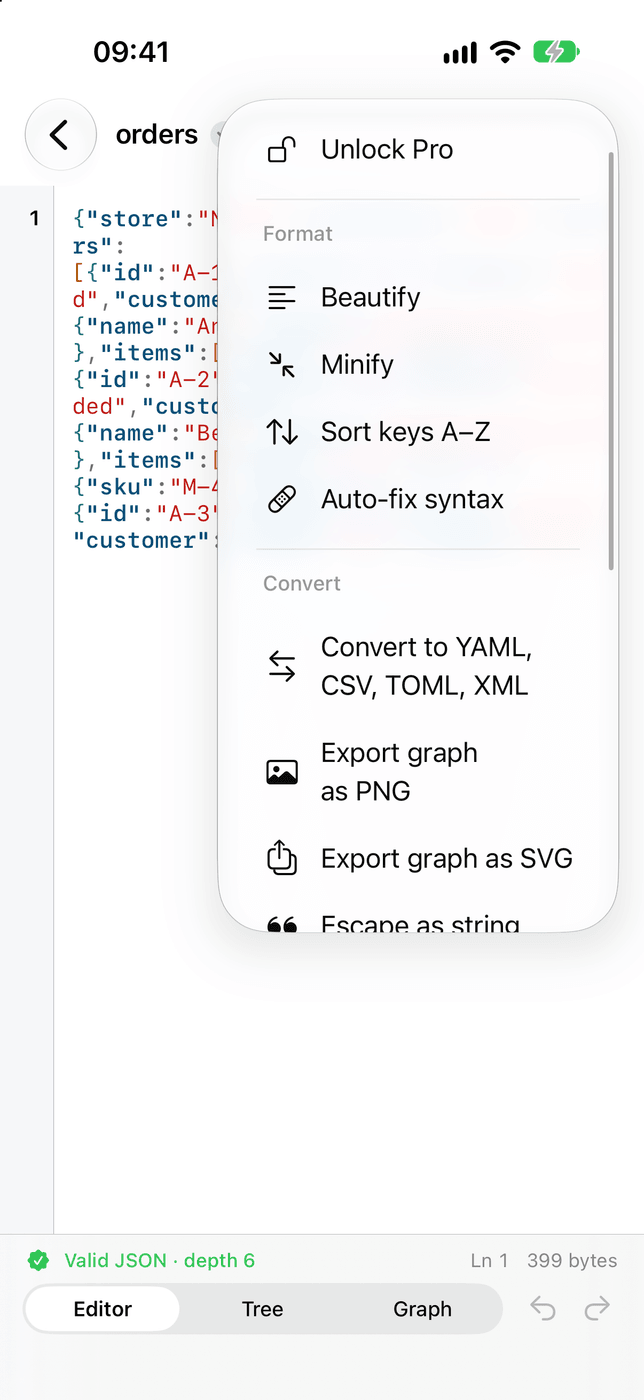
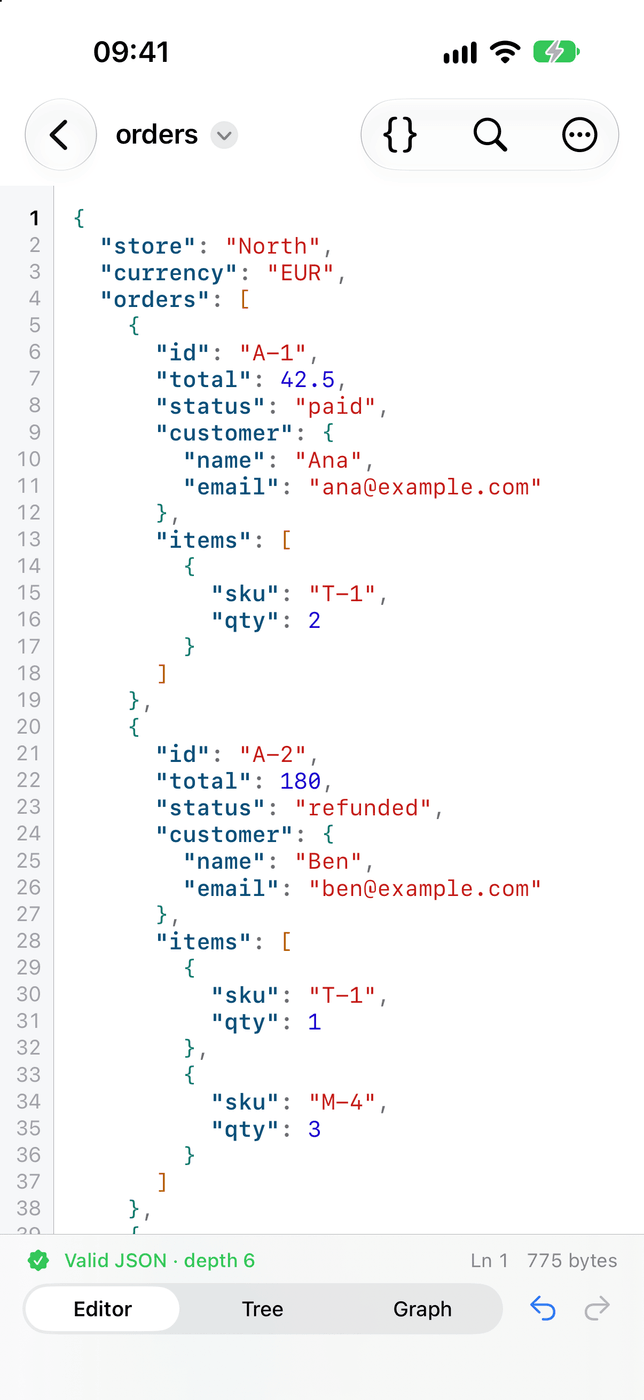

Beautify, minify and sort keys on iPhone and iPad, offline, with a plain-language error when the JSON is broken. Nothing is pasted into a website.
What it doesWhen formatting fails
A formatter refuses anything that isn't valid JSON, and its error is usually a position: line 1, column 3,912. On a minified document that's one line, so the column is the clue. The usual causes are a trailing comma, single quotes, a comment, or a value that isn't quoted. Every common error is explained here, with what each message means.