JSON is a tree. CSV is a rectangle. Converting one to the other means deciding how to flatten the tree, and every converter makes those decisions for you, usually without saying what it decided. That's why the same file run through three online converters can give you three different spreadsheets.
Know the three decisions and you can pick the tool, or the settings, that makes them the way you want.
The fast answer
- A flat array of objects (
[{"id":1,"name":"Ada"}, …]): any converter works. Usejq, Python, DuckDB, Excel, or an app. - Nested objects (
"address": {"city": "Leeds"}): flatten to dotted columns,address.city. Python'sjson_normalizedoes it in one line. - Arrays inside each record (
"tags": ["a","b"]): decide between one column per item, one row per item, or one cell with a joined list. There's no right answer, only the one that fits what you'll do with it. - The records aren't at the top: find the array first (usually
data,itemsorresults), then convert that.
Decision 1: which array becomes the rows?
A CSV needs a list of similar things, one per row. Almost no real JSON starts with one. An API response looks like this:
{
  "status": "ok",
  "page": 1,
  "data": {
    "items": [
      { "id": 1, "name": "Ada", "address": { "city": "Leeds" }, "tags": ["admin"] },
      { "id": 2, "name": "Lin", "address": { "city": "Hue" }, "tags": [] }
    ]
  }
}
The rows are data.items. A converter pointed at the root sees one object
and gives you one row with status, page and a column full of escaped JSON.
That's the most common "the converter is broken" complaint, and it's a path
problem, not a converter problem.
Decision 2: what happens to nested objects?
address is an object inside each record. The usual answer, and the right
one for most purposes, is to flatten it into dotted column names:
| id | name | address.city |
|---|---|---|
| 1 | Ada | Leeds |
| 2 | Lin | Hue |
The alternative, putting the whole object into one cell as a JSON string, keeps everything but gives you a column you can't sort or filter.
Decision 3: what happens to arrays inside a record?
tags is a list, and a list doesn't fit in a cell. Three options:
| Approach | Result | Good for |
|---|---|---|
| Index columns | tags[0], tags[1], … | Short lists with a known maximum |
| Explode to rows | One row per tag, other columns repeated | Counting or filtering by tag |
| Join into one cell | admin;editor | Reading, not analysing |
Exploding changes the row count: a person with three tags is now three rows. That is correct for "how many people have each tag" and wrong for "how many people are there". Decide which question the CSV is for before you choose.
The other losses
Even a perfect flatten loses things, because CSV can't express them:
- Types.
"42"and42both become42.truebecomes the texttrue. - Null vs empty.
null,""and a missing key all become an empty cell. - Columns from sparse records. If only one record in 10,000 has a
couponfield, a converter that reads the first record's keys to build the header will drop it. Good converters take the union of every record's keys.
With jq
For a flat array at the top level:
jq -r '(.[0] | keys_unsorted) as $k | $k, (.[] | [.[$k[]]]) | @csv' in.json > out.csv
That builds the header from the first record, so it drops any key the
first record lacks, which is the sparse-records problem above. For an array
lower down, replace the first . with the path, such as .data.items. For
nested data, jq can do it, but the expression stops being readable; reach
for Python.
With Python
pandas.json_normalize makes all three decisions in one call, and takes the
union of keys:
import json, pandas as pd

data = json.load(open("in.json"))
df = pd.json_normalize(data["data"]["items"], sep=".")
df.to_csv("out.csv", index=False)
Nested objects become address.city. Lists stay as lists in one cell; to
explode them to rows, add df = df.explode("tags") before saving.
With DuckDB
For large files, DuckDB reads JSON directly and writes CSV without loading everything into memory:
duckdb -c "COPY (SELECT * FROM read_json_auto('in.json')) TO 'out.csv'"
For a flat array this is the fastest route there is. Nested objects come out
as DuckDB's own struct notation in a single column, so unnest them in the
SELECT or use Python for nested data.
With Excel
Data → Get Data → From File → From JSON opens Power Query. Click To Table, then the expand icon in the column header (two arrows) to expand records and lists level by level. It's point-and-click, and you can see each decision as you make it. Then save as CSV. Mind the type conversions on the way out: Excel changes CSV data unless you tell it not to.
Online converters
They work, and for public data they're fine. Two cautions. Most of them hide the three decisions, so check the output's row and column count against what you expected. And JSON from an API often holds tokens, emails or customer records, so prefer a converter that runs in the browser without uploading.
On iPhone and iPad
Smart Json converts JSON to CSV in what it calls records mode: an array of
objects becomes the rows, nested values flatten to dotted columns
(address.city, tags[0]), and the header is the union of every record's
keys. It finds the first array of objects for you and lets you pick another,
or type a JSONPath like $.data.items. The separator is configurable, and a
document with no array of objects says so rather than producing a useless
two-column dump.
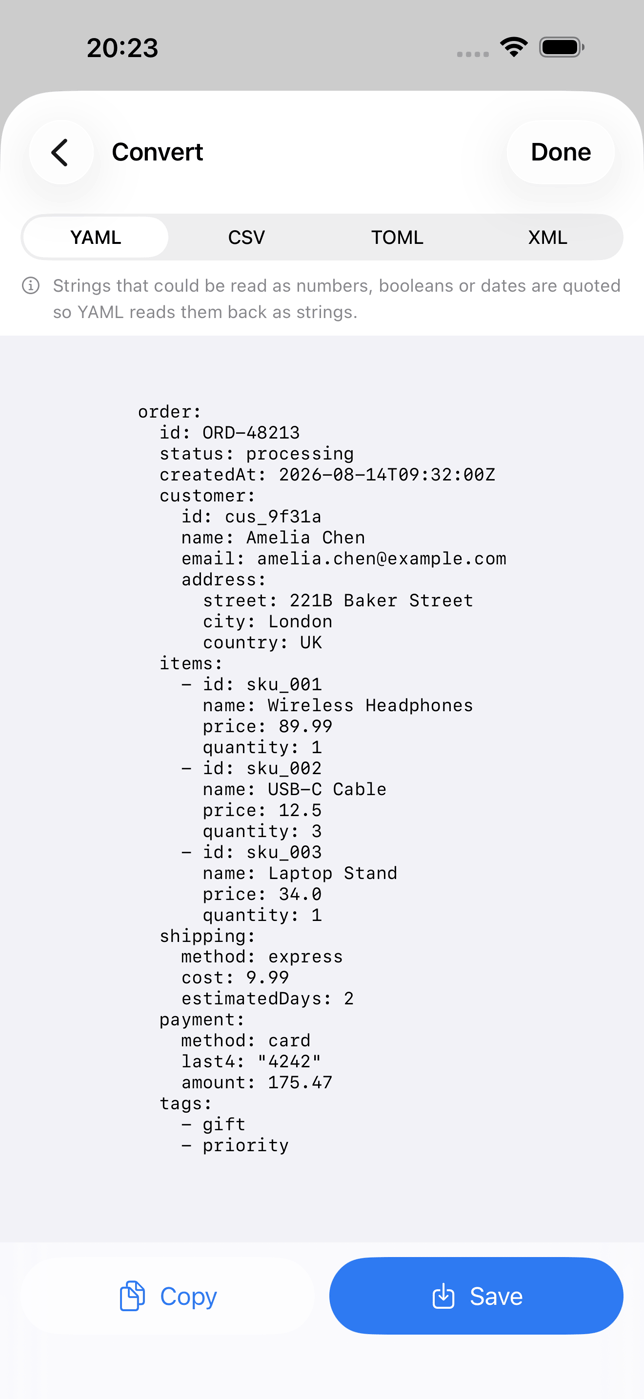
The preview is free, so you can see exactly what the CSV will look like. Copying or saving the result is Pro.

Previews JSON as CSV with nested values flattened to dotted columns, lets you choose the records array by JSONPath, and says plainly what CSV can't carry.
What it doesOnce it's a CSV, opening it on the phone is its own small problem; that guide covers it.
Check the result
Whatever tool you use, three checks:
- Row count. Does it match the number of records in the array (or more, if you exploded a list on purpose)?
- Column count. Did a field that appears in only some records make it into the header?
- One nested value. Pick a record with a nested object and confirm its value landed in the right dotted column.